
- Home
![]()
- Menu Themes


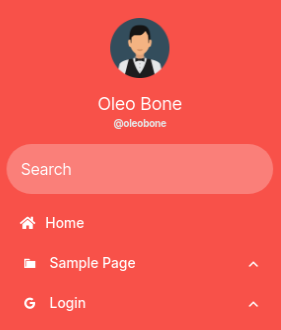
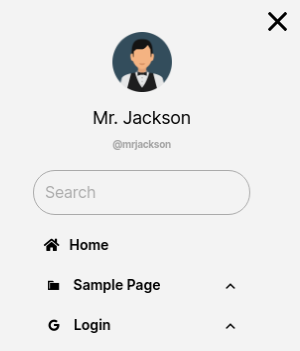


Ready-made designs for your mobile menu
A Responsive Menu theme is a complete design for your menu: colours, fonts, layout and the open/close animation, set up for you. Apply one and your menu looks finished in a minute instead of an afternoon of tweaking settings. Everything stays editable afterwards in the live editor, so you can match the theme to your brand colours and fonts.
Free themes
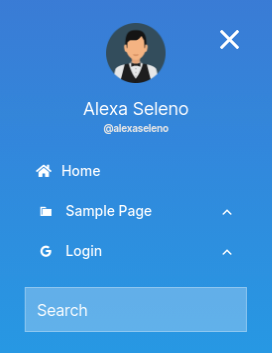
Electric Blue, Simple Red and Full Width are free. Electric Blue is a clean blue menu with a centred title and image. Simple Red is a bold red menu that pushes the page aside as it opens. Full Width covers the whole screen with large, centred menu items. They work with the free version of the plugin.
Premium themes
Each premium theme adds its own animation and its own theme settings:
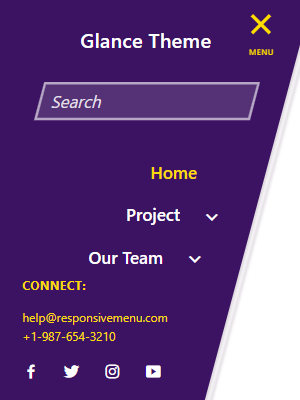
- Glance shows menu items on a slant and slides them in with a skew animation. You can set the slide direction, skew angle, background colour and speed. Glance settings
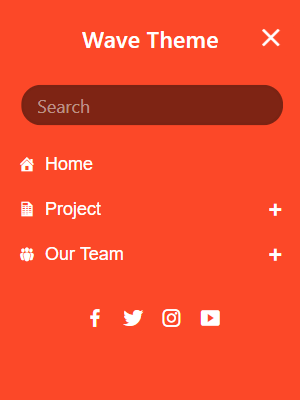
- Wave opens with a ripple effect that spreads across the screen, with an orange and white default palette. Wave settings
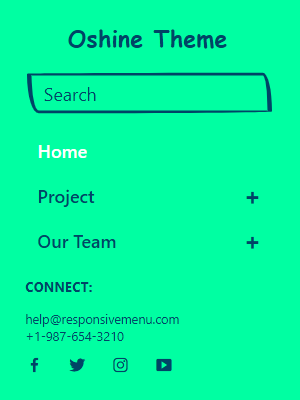
- Oshine opens a layered stack that slides in from the left or right. You can change the stack colour for more depth. Oshine settings
How to use a theme
Open your menu in the Responsive Menu editor, go to Themes and choose Change Theme. Themes you have downloaded appear there, ready to apply. Once a theme is applied you can save your customised version with Save As Theme and reuse it on other menus. Step-by-step guide: Using themes.
The themes above need Responsive Menu 4.1 or later.